Security Question 
If a portal user has forgotten their password, they can initiate a password reset procedure. The system will send a password reset email containing a link that allows the user to create a new password. To enhance security, the portal may be configured to require users to set up a security question and answer during the initial sign-up process. If this feature is enabled, the user must correctly answer their security question after clicking the reset link before they can choose a new password. This ensures that only the authorized account holder can reset the credentials.
Tip
A security question should be something that only the user knows but it should also be something that is not too hard to remember. It is therefore advised that portal users configure Two Factor Authentication (2FA) instead of using a security question.
You can enable the portal password reset security question by running the following CLI command:
ciphermail-cli property global set --name portal-password-reset-security-questions-enabled --value true
After password reset security questions are enabled, every portal user must choose a security question and provide an answer during portal account sign-up.
Note
Portal users who registered before the security question feature was enabled can continue to reset their passwords without answering a security question.
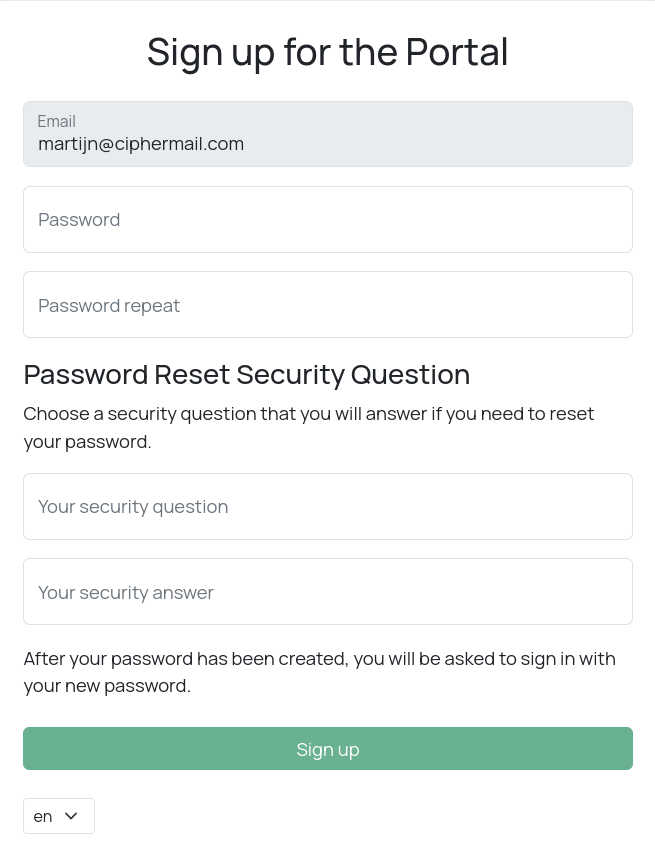
When creating a new password, you must also answer your security question:
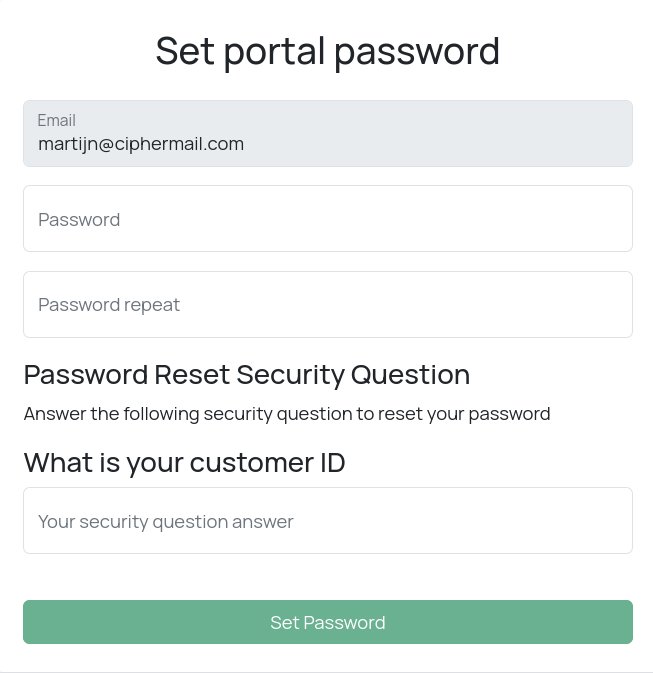
Fixed question
By default, portal users choose their own security question for password reset. However, an administrator can configure a single, fixed security question to be used instead.
Follow these steps to set up a single, fixed security question:
create an ansible override file /etc/ciphermail/ansible/group_vars/all/password-reset-security-question.yml
---
portal.signup.security-question-static_en: 'Some Custom Security Question'
Replace the question by your own custom security question.
To create a security question for a different locale (language), you need to replace the language with a different language from the following list:
de, dk, en, es, fi, fr, it, ja, ko, nl, no, pl, pt, ro, sv, tr
After creating the override file, you need to run the playbook to apply the changes:
sudo cm-run-playbook